Want your social media posts to stand out with a spooky look? Creepy text generator is an easy way to give your captions, usernames, bios, or comments a mysterious style. Whether you’re posting for Halloween, sharing horror content, or creating a gaming profile, unusual Unicode text can make your words look more dramatic without changing what they say.
The best part is that you don’t need design skills or special software. A creepy text generator can convert normal text into eye-catching characters that work on many social media platforms. In this guide, you’ll learn what creepy text is, how to create it, where you can use it, its benefits and limits, and the best tips for making your posts easy to read while keeping their spooky style.
How to Create Creepy Text for Social Media
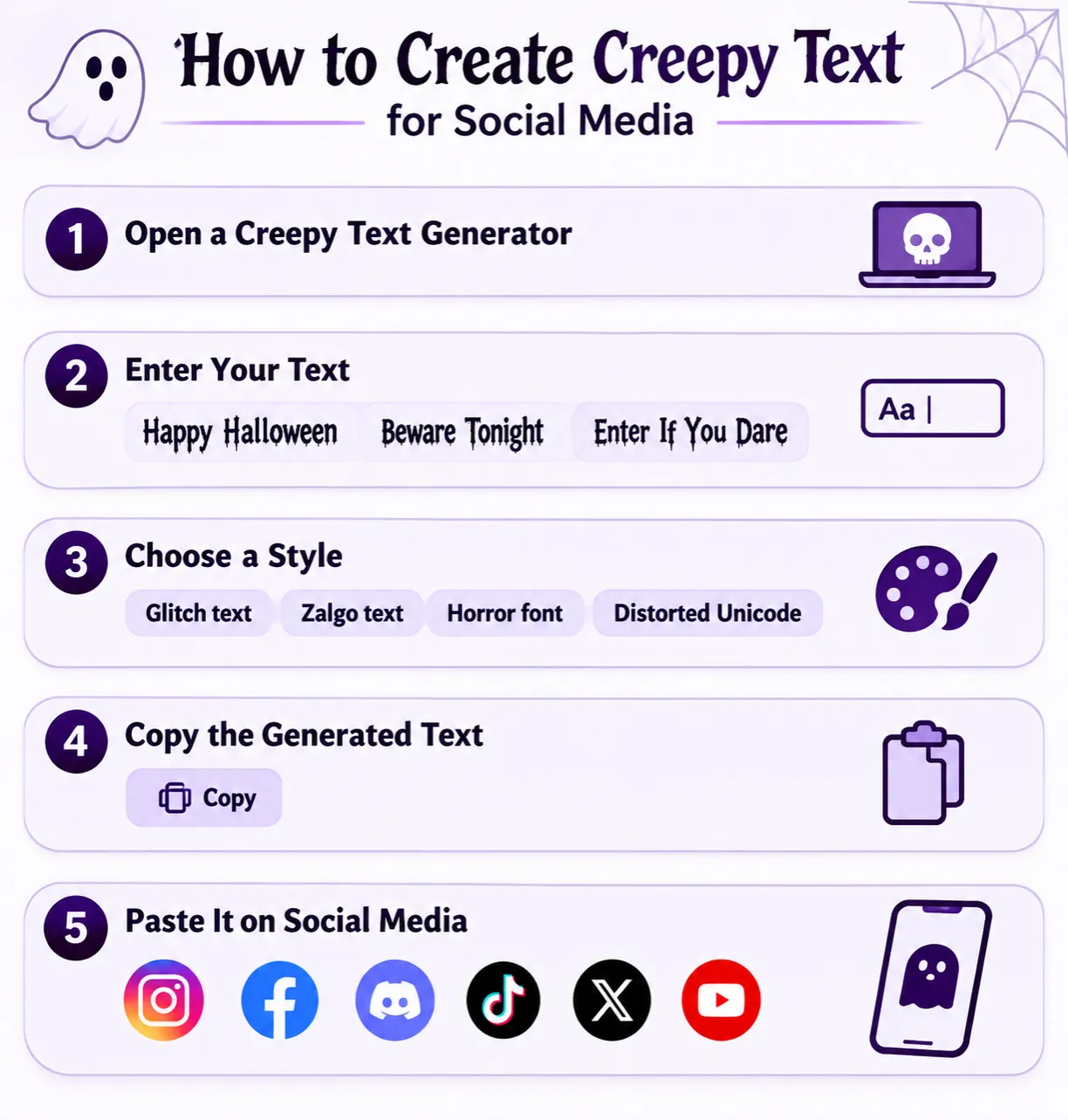
Creating creepy text takes only a few steps.
Step 1: Open a Creepy Text Generator
Visit a creepy text generator on invisibletext.net
Most generators work directly in your browser without requiring an account
Step 2: Enter Your Text
Type or paste the words you want to change.
For example:
- Happy Halloween
- Beware Tonight
- Enter If You Dare
Step 3: Choose a Style
Most generators offer several styles, such as:
- Light creepy
- Glitch text
- Zalgo text
- Horror font
- Distorted Unicode
Pick a style that matches your content.
Step 4: Copy the Generated Text
After the text is generated, copy it with one click.
Paste the creepy text into:
- Instagram bio
- Instagram caption
- Facebook post
- Discord message
- TikTok profile
- X (Twitter) post
- YouTube description
- Gaming username
What Is Creepy Text?
Creepy text is stylized Unicode text that gives ordinary words a spooky or distorted appearance. Instead of changing the font, it replaces standard letters with Unicode characters that many websites and apps can display.
People often call it:
- Horror text
- Scary text
- Zalgo text
- Glitch text
- Haunted text
The text remains copyable and readable on many modern devices.
Why Do People Use Creepy Text?
People use creepy text to make their content more noticeable. Common reasons include:
- Creating Halloween posts
- Designing gaming usernames
- Decorating social media bios
- Sharing horror stories
- Making event announcements
- Adding a unique visual style
Used in moderation, creepy text can help a post catch attention in a busy feed.
How Does Creepy Text Work?
Creepy text is created with Unicode characters.Unicode includes thousands of symbols that computers recognize across different devices and operating systems.
A creepy text generator replaces regular letters with similar-looking Unicode characters. Some styles also add combining marks above or below letters to create a distorted appearance.
Where Can You Use Creepy Text?
Creepy text works in many places.
Add spooky text to your bio or display name for seasonal events.
Posts and Captions
Make Halloween or horror-themed posts more interesting.
Gaming Usernames
Many gamers use creepy text for fantasy, horror, or survival games.
Always check the game’s username rules first.
Discord Servers
Creepy text can make server names, channel titles, and messages look more creative.
Event Invitations
Use creepy text for:
- Halloween parties
- Haunted house events
- Horror movie nights
- Escape room promotions
Benefits of Using Creepy Text
Using creepy text offers several advantages.
- Makes posts more eye-catching
- Creates a spooky mood
- Works on many platforms
- Easy to copy and paste
- No graphic design skills required
- Great for seasonal content
Conclusion
Creating creepy text for social media is a simple way to make your content look more unique and match horror or Halloween themes. With a Unicode text generator, you can turn ordinary words into eye-catching text in just a few seconds.
Remember to keep your message readable and test it on the platform where you plan to post. A balanced approach makes your content stand out without making it difficult for others to read.