How to Create an Invisible Name on Instagram
If you’ve seen an Instagram profile with what appears to be a blank display name, you might wonder how it’s done. While Instagram doesn’t let you leave the Name field empty, you can sometimes make it appear blank by using an invisible Unicode character.
This guide explains how invisible names work, how to create one, and what limitations you should know before updating your profile.
What Is an Invisible Name on Instagram?
An invisible text with Instagram name is a display name that appears blank because it contains one or more invisible Unicode characters instead of regular letters or symbols.
Although the name looks empty, Instagram recognizes it as text, allowing the profile to meet its name requirement.
Note: This only applies to your display name, not your @username.
Can You Make Your Instagram Name Invisible?
Yes, in some cases. Instagram requires every profile to have a name, so you can’t save the field completely empty. However, if Instagram accepts the invisible Unicode character you use, your display name may appear blank.
Since Instagram updates its platform regularly, this method may not work with every invisible character or every app version.
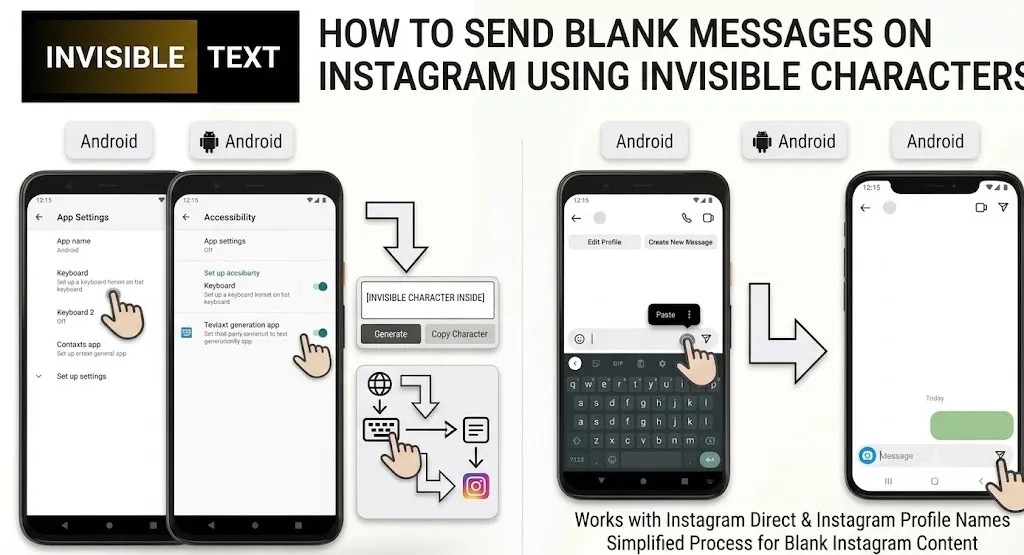
How to Create an Invisible Name on Instagram
Follow these simple steps:
- Copy a supported invisible Unicode character from a trusted source.
- Open the Instagram app.
- Go to Profile and tap Edit Profile.
- Remove your current display name.
- Paste the invisible character into the Name field.
- Tap Done or Save.
If Instagram accepts the character, your display name will appear blank.
Why Do People Use Invisible Instagram Names?
People create invisible names for different reasons, including:
- Creating a clean or minimalist profile.
- Giving their profile a unique appearance.
- Trying creative profile customization.
- Experimenting with Unicode characters.
Does It Work on Every Device?
Usually, yes. If Instagram accepts the invisible character, the blank display name can appear on Android, iPhone, and the web version.
However, results may vary depending on your Instagram version and future platform updates.
Can Your Username Be Invisible?
No. Your Instagram username (the one that starts with @) must be unique and contain visible characters. Invisible characters generally only work in the Name field, where supported.
Is It Safe to Use an Invisible Name?
Yes. Invisible Unicode characters are standard text characters and don’t contain viruses or harmful code.
Just make sure you copy them from a reliable invisible character tool or website.
Why Isn’t My Invisible Name Saving?
If Instagram won’t save your blank name, it could be because:
- The invisible character isn’t supported.
- Instagram has updated its validation rules.
- The character wasn’t copied correctly.
Trying a different supported invisible character may solve the problem.
Frequently Asked Questions
Can I create a completely blank Instagram name?
Not exactly. Your profile still contains an invisible Unicode character---it only looks blank.
Does this work for everyone?
It depends on the Instagram version and the invisible character being used. Some characters may stop working after updates.
Will Instagram ban my account?
Using an invisible display name alone isn’t generally known to violate Instagram’s rules, but Instagram may remove unsupported characters or require a visible name in the future.
Final Thoughts
Creating an invisible name on Instagram is a simple customization that uses invisible Unicode characters instead of visible text. While the method can make your display name appear blank, it isn’t guaranteed to work permanently because Instagram may change how it handles these characters in future updates.